Company while you work.
Animated companions show your agents’ activity.
Bring your coding agents to life, talk things through with Mayor, and step into a cozy 3D town.
Browser demo: a solo visit. No install or account needed.
A few familiar faces from your desktop.
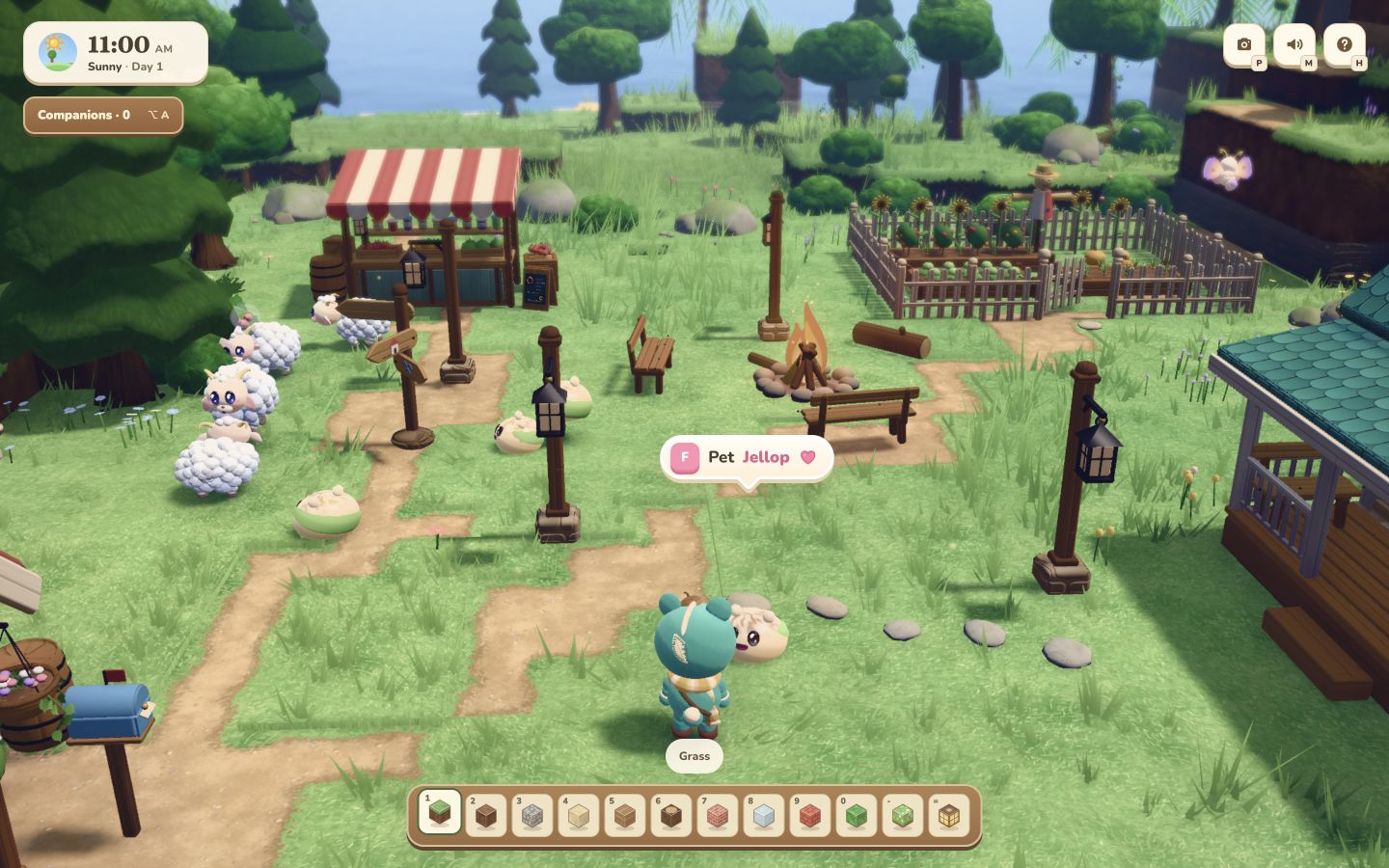 A look inside the new 3D town
Animated companions show your agents’ activity.
Standard and Live voice, connected to Firstmate.
Explore, jump, glide, and make the world your own.
Your 2D pets still make themselves at home on your desktop. See your agents’ activity at a glance, choose their look, or create a character of your own.
Choose from 20 bundled characters, or bring your own animations into Pet Studio.
Your Mayor connects your voice to Firstmate. Ask for help while you wander the town, and keep the conversation close to the work.
Hold to talk, release to send. Mayor passes your request to Firstmate and speaks the reply when it is ready.
Talk with Mayor through live voice. Requests that need computer work go to the same trusted Firstmate.
Follow Mayor to see the voice controls and latest reply. Voice setup is available in desktop settings.
The 3D town preview
Take a break in a cozy 3D world. Explore the paths, jump across the scenery, and make a little room for play.
In the latest desktop preview, follow your live agent companions, take control, switch camera views, and talk with Mayor as you go.
The browser demo is a solo visit with native wildlife. The new desktop town is in development; downloads always use the latest published Mac release.
It is a solo visit to the world. Live coding-agent companions and Mayor voice are part of the desktop app. Explore, build, take photos, and play with the native animals on desktop or touch devices.
Mayor uses your configured OpenAI voice services and a Firstmate checkout you explicitly trust. Standard and Live mode use the same Firstmate primary. Voice service usage is billed separately.
World changes are stored in the current browser or desktop app. Browser and desktop saves do not transfer automatically.
Import transparent APNG animations in Pet Studio, assign their behaviors, and save a local pet pack.
Pet Town currently provides macOS downloads for Apple Silicon and Intel Macs. The solo town runs in desktop and touch browsers with WebGL graphics support.
Your desktop companions. Your Mayor. Your little world.
Apple Silicon and Intel Mac · Latest release